.jpg)
What Is Technical SEO and How Does It Work?
- Mike Dodgson

- Jul 26, 2025
- 15 min read
Technical SEO is about making sure your website is built in a way that search engines can easily find, crawl, and understand. It’s less about the words on the page and more about the nuts and bolts holding everything together behind the scenes.
Think of it this way: you could write the most brilliant book in the world, but if you store it in a library with no signs, broken shelves, and flickering lights, it's going to go unread. That is technical SEO in a nutshell. It’s not the content itself (that's on-page SEO) or getting other libraries to recommend you (that's link building). It is all about the health and structure of the library itself.
Decoding Your Website’s Blueprint
When search engines like Google visit your site, they don't see it like you or I do. They send out automated programs, often called 'spiders' or 'crawlers', to read the underlying code. These crawlers follow links from one page to another to discover what your site is all about, and their findings determine whether you get a good spot in the search results.
Technical SEO is just about speaking the language of search engines. It's about removing any obstacles that might confuse or block them, making it dead simple for them to index your content and show it to people who are looking for what you do.
Why Does It Affect Your Rankings?
A website with a shaky technical foundation is a nightmare for search engines to get around. This can cause some serious problems that directly harm your visibility. For example, if your pages load at a snail's pace, both users and search engines will quickly lose patience. We know from industry reports that even a one-second delay in mobile page load can slash conversion rates by up to 20%.
At its heart, technical SEO aims to make your website:
Discoverable: Making certain search engines can find all your important pages without running into dead ends or getting lost in a maze of broken links.
Intelligible: Helping crawlers understand what your pages are about through clean code and structured data.
Performant: Delivering a fast, secure, and smooth experience on any device, especially on mobile phones.
This side of SEO is all about the 'how', not just the 'what'. You can have the most amazing content, but if search engines can't access it properly, all that hard work goes to waste. A great place to start getting to grips with this is our [technical SEO basics guide for business owners](https://www.digital-sprout.co.uk/post/technical-seo-basics-2025-a-practical-guide-for-business-owners), which walks you through the initial steps.
By sorting out these backend elements, you're rolling out the red carpet for both search engines and your visitors. A solid structure helps search engines see your site as a reliable source, which is a massive factor in how they rank your pages. It’s the silent partner to your great content, working tirelessly behind the curtain to connect your message with the right audience.
How Search Engines Read Your Website

Before we can get into what technical SEO is, we need to look at a website through a search engine’s eyes. They don't see websites the way we do, with graphics and layouts. Instead, they use a methodical, three-step process to find, understand, and categorise all the content on the internet.
This technical "handshake" between your site and a search engine like Google comes down to three core actions: crawling, indexing, and rendering.
If you get these three things right, you've built the foundation for good technical SEO. But if a search engine stumbles on any of these steps, your best content might never see the light of day in search results.
Crawling: Mapping Your Website
First up is crawling. Picture search engines sending out fleets of tiny automated robots—often called 'spiders' or 'crawlers'—to explore the vast map of the internet. When a crawler arrives at your site, its job is to follow every link it can find, moving from one page to the next to discover all your content.
This is exactly why having a logical site structure and working internal links is non-negotiable. Broken links are dead ends. Pages with no links pointing to them are like isolated islands. In both cases, crawlers can’t find them.
Thankfully, you can give them a helping hand with a couple of key files:
XML Sitemaps: This file is a neatly drawn map of your website that you hand directly to search engines. It lists all the important URLs you want them to find, making certain they don't miss anything.
Robots.txt: Think of this as a set of ground rules for visiting crawlers. It’s a simple text file that tells them which areas of your site are off-limits, like private admin pages or messy internal search result pages you don’t want them to see.
A well-structured website lets crawlers move through it efficiently, creating a complete picture of your content. A messy or broken structure means they might give up before finding your best pages.
Indexing: Filing Your Content Away
Once a crawler has explored a page, the next step is indexing. Imagine the crawler returning to its home base—a library the size of the internet—and filing a copy of your page on the right shelf. The search engine analyses everything on that page—the text, the code, the images—to figure out what it's all about.
When you type a query into Google, it doesn't search the entire web in real-time. That would be impossible. Instead, it blitzes through its own pre-organised index to pull out the most relevant pages. If your page isn't in that index, it simply doesn't exist to the search engine.
You get some say in this process. By adding a specific piece of code called a meta robots tag to a page, you can leave instructions. You can tell search engines "yes, please index this page" or, for less important ones, "no, don't index this." It’s a great way to keep your digital footprint clean and focused.
Rendering: Seeing Your Website Like a Person
The final, and often trickiest, step is rendering. Modern websites aren't just static documents anymore. They're full of interactive elements powered by code like JavaScript, which loads content and makes the page interactive. Crawling just gets the raw code; it doesn't show the finished product.
Rendering is the process where a search engine, like Googlebot, actually runs that code to "see" the page the same way a human visitor would. It executes the JavaScript, loads all the interactive bits, and takes in the final layout. If a search engine can't render your page properly, it might miss huge chunks of your content.
This is where a lot of hidden technical gremlins live. Inefficient code or scripting errors can cause the rendering process to fail, leaving the search engine with a broken or incomplete version of your page. This directly hurts its ability to understand your content and, finally, to rank it where it belongs. Nailing this handshake of crawling, indexing, and rendering is the first major hurdle of any successful SEO strategy.
Improving Site Speed and Core Web Vitals
Let's be blunt: a website that loads at a snail's pace is more than just an annoyance. It’s a direct hit to your search engine rankings and a sure way to send potential customers running. In modern SEO, site speed isn't a "nice-to-have"—it's absolutely fundamental.
To quantify this, Google introduced a set of metrics it calls Core Web Vitals. Think of them as Google's way of measuring the real-world experience a person has on your site. They help answer questions like: How fast does it feel? How quickly can I interact with it? Is the layout stable or does it jump around?
The stats don't lie. Just look at the direct link between loading times and whether people stick around.
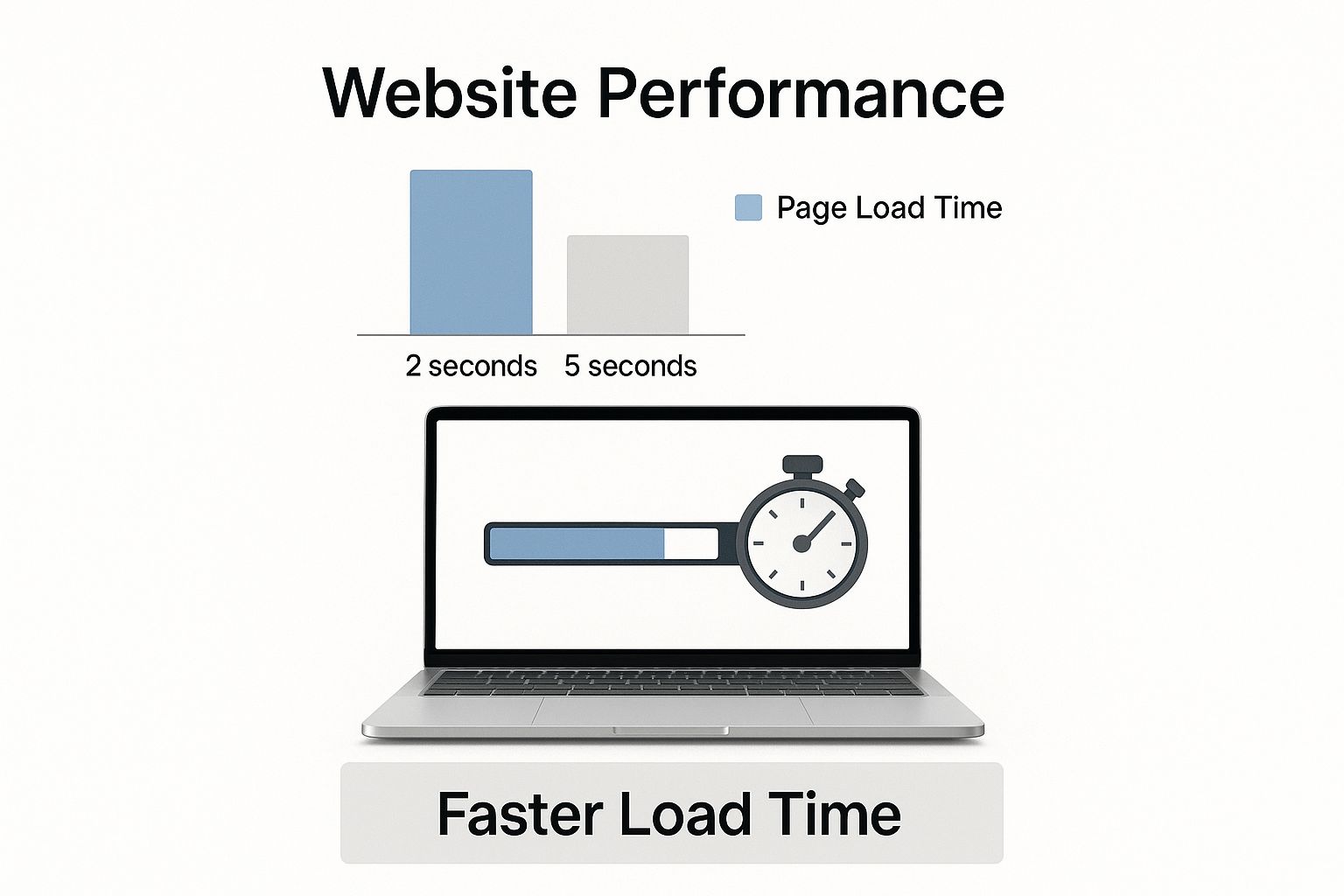
As you can see, every fraction of a second counts. This is why search engines are now paying such close attention to performance.
What Exactly Are Core Web Vitals?
At their heart, Core Web Vitals are a scorecard for your site's user experience, broken down into three key areas. Getting to grips with them is fundamental for any technical SEO strategy.
The table below breaks down each metric, what it's measuring, and the score you should be aiming for.
Core Web Vitals Explained
Metric (Abbreviation) | What It Measures | Good Score Target |
|---|---|---|
Largest Contentful Paint (LCP) | Loading Performance. The time it takes for the main content (usually a large image or text block) to appear on the screen. | Under 2.5 seconds |
First Input Delay (FID) | Interactivity. How long it takes for the page to respond after a user first interacts with it (e.g., clicks a button). | Under 100 milliseconds |
Cumulative Layout Shift (CLS) | Visual Stability. Measures how much the page layout unexpectedly moves around as it loads. | Under 0.1 |
Each of these vitals offers a different lens on the user's journey. A strong score across the board tells Google that your site is a pleasure to use, while poor scores signal a frustrating experience that could harm your rankings.
Why Your Rankings Depend on These Vitals
Make no mistake, Core Web Vitals are now direct ranking factors. We've seen UK businesses boost their scores and enjoy better search visibility and a real lift in organic traffic as a result. In some cases, user engagement has jumped by as much as 15%-20% after targeted improvements.
This really drives home the point that good technical SEO is no longer just about appealing to search engine crawlers. It's about crafting a brilliant user experience, especially on mobile, where an astonishing 92.3% of UK users access the internet. A slow, clunky mobile site is simply not an option anymore.
Practical Steps for a Faster Website
The good news is that you don't need to tear your site down and start again. Often, focusing on a few high-impact areas can make a world of difference.
Here are three great places to start:
Compress your images: Huge, uncompressed images are one of the most common culprits behind slow pages. Use tools to shrink their file size without making them look pixelated.
Minimise your code: Your website's code (HTML, CSS, JavaScript) can get bloated with unnecessary characters and comments. "Minifying" it cleans out the junk, making the files smaller and faster to load.
Use browser caching: This is a clever trick. Caching tells a visitor's browser to "remember" static parts of your site, like your logo or background files. The next time they visit, the browser already has those assets, so the page loads much quicker.
These are just the fundamentals. For a more in-depth look at what you can do, check out our guide on how to improve website speed, which covers more proven tactics. By making these changes, you’re not just ticking a box for Google; you’re creating a genuinely better, smoother experience for your customers.
Designing a Search-Friendly Site Structure
Think of your website's structure—its architecture—as the floor plan for a physical shop. Imagine walking into a massive department store where everything is just thrown together. Shoes are next to the bread, and electronics are mixed in with garden supplies. You'd get frustrated and leave, right? A surprising number of websites are organised just like this, making it a nightmare for both people and search engines to find anything.
A logical site structure is like a well-organised store with clear aisles and helpful signs. It groups related content into sensible categories, so getting around is a breeze. This clarity is just as important for search engines. A well-planned structure helps their crawlers move from page to page smoothly, letting them understand how all your content fits together and spreading ranking authority throughout your site.
Creating Intuitive Navigation and URLs
So, how do you build this logical structure? It starts with creating clear pathways. Your navigation menus and your URLs are the main tools you have for the job. Anyone—be it a human visitor or a search engine bot—should be able to get a good idea of what a page is about just by glancing at its URL.
Let's look at two examples for a page selling men's running shoes:
Poor URL:
Good URL:
The second one is clean, descriptive, and clearly shows a hierarchy. It tells everyone exactly where they are on the site. You should apply this same thinking to your main navigation menu to create a predictable and easy journey for your visitors. For a deeper look into this, check out our complete **2025 guide to SEO and site architecture**, which really gets into the nitty-gritty.
Another fantastic tool for navigation is breadcrumb trails. These are those little text paths you often see at the top of a page, like: Home > Mens > Shoes > Running Shoes. They give users a simple way to jump back to a higher-level category without having to hit the back button a dozen times.
Managing Duplicate Content and Mobile Experience
As your site gets bigger, it's pretty common for similar or even identical pages to pop up. This can happen if you have printer-friendly versions of pages or use certain tracking parameters in your URLs. This is what we call "duplicate content," and it can seriously confuse search engines and water down your ranking potential.
To fix this, we use a canonical tag. This is just a small bit of code that tells search engines which page is the "master" copy. It’s saying, "Hey Google, these pages are similar, but this is the original one I want you to pay attention to."
Getting your site's organisation right is especially critical for mobile users. Google now uses a mobile-first indexing approach, which means it predominantly looks at the mobile version of your site for crawling, indexing, and ranking. If your mobile site is clunky, hides content, or is just a pain to use, your rankings will suffer—even if your desktop site is flawless.
A responsive design that looks great and works perfectly on any screen size isn't just a nice-to-have anymore; it's fundamental. It makes certain every user gets the same great experience and that search engines see a consistent, well-structured site, no matter what device they're crawling from. By planning your site's architecture with both people and crawlers in mind from the start, you build a solid foundation that will support all of your other SEO work.
Using Structured Data to Communicate with Google
Imagine you hand Google a photograph of a cake. The search engine sees a jumble of pixels and colours, but it doesn't really know what it's looking at. Now, what if you attach a neat little label to that photo? "Chocolate Cake. Prep Time: 20 mins. Cook Time: 40 mins. Calories: 350 per slice." All of a sudden, Google doesn't just see an image; it understands exactly what it is.
That's precisely what structured data does for your website. It's a special vocabulary, often called schema markup, that you add to your site's code. This code translates your human-readable content into a language that search engines can process with absolute clarity.
So instead of Google just seeing a string of text like "Call us at 0191 123 4567," structured data explicitly tells it, "This is a business telephone number." It removes the ambiguity and helps search engines categorise and display your information much more accurately.
Going Beyond Keywords to Provide Context
Without structured data, search engines are left guessing. They might see a date on your page and have to figure out if it's for an event, a blog post publication, or a product's use-by date. When you add schema, you take all that guesswork out of the equation.
You can use different types of schema to define specific things on your pages. Some of the most common ones include:
Product Schema: To highlight product names, prices, stock levels, and customer reviews.
Recipe Schema: For spelling out ingredients, cooking times, and nutritional details.
Event Schema: To specify event names, dates, venues, and ticket information.
FAQ Schema: For marking up questions and answers so they can appear in search.
Local Business Schema: To define your physical address, opening hours, and contact details.
Getting this level of detail right is a core part of modern technical optimisation key techniques for 2025 and beyond. It directly feeds into how relevant and authoritative search engines think your site is.
The Power of Rich Snippets in Search Results
The most visible benefit of using structured data is that it makes your website eligible for rich snippets. You've seen them. They're the more detailed, eye-catching listings in the search results—the ones with star ratings, event dates, or little FAQ dropdowns right there under the page title.
These improved listings do more than just look pretty; they have a huge impact on how people behave. Because they offer more information upfront, users are far more likely to click on them. A key UK study found that websites with good technical elements are three times more likely to land on the first page of Google UK. On top of that, featured snippets, which rely heavily on schema, can earn a click-through rate of up to 42.9%—a massive advantage for UK businesses.
By adding structured data, you’re not just organising your code; you’re competing for prime real estate in the search results. A rich snippet can be the deciding factor that makes a user choose your link over a competitor's.
How to Implement and Validate Structured Data
Adding schema markup to your site might sound terribly technical, but plenty of tools are available to help. Many website platforms and plugins can generate the necessary code for you automatically. For example, if you're running an e-commerce shop, it pays to understand the specifics of your platform. You can learn more about improving how you communicate with Google in this comprehensive ultimate guide to Shopify schema markup.
Once you've added it, the final and most important step is to check your work. Google provides a free tool, the Rich Results Test, where you can pop in your page's URL and see if your structured data is working correctly. It will show you exactly which rich results your page is eligible for and flag any errors that need fixing. This validation step is your way of confirming that your message to the search engines is coming through loud and clear.
Your Practical Technical SEO Audit Checklist

Theory is great, but the best way to really get to grips with technical SEO is to roll up your sleeves and get practical. Don't worry, a technical audit doesn't have to be some intimidating, jargon-filled nightmare. By following a straightforward checklist, you can start spotting—and fixing—the most common issues that are likely holding your website back.
Think of this process as a routine check-up for your website. You'll be using a few free, accessible tools to make certain everything is running smoothly behind the curtain.
Your Initial Inspection Points
Let's start with the basics. These are the foundational elements that deliver the biggest bang for your buck, affecting both your search engine performance and your visitors' experience. Getting these right will give you a clear snapshot of your site's current technical health.
Check for Crawl Errors: Head over to Google Search Console. The 'Pages' report is your best friend here; it will tell you if Google is struggling to access any pages on your site and, crucially, explain why.
Test Mobile-Friendliness: With most of your audience likely browsing on their phones, this is non-negotiable. Use Google's own Mobile-Friendly Test tool. It’s a quick and simple way to see if your pages are easy to use on a small screen.
Analyse Site Speed: Pop your URL into Google's PageSpeed Insights. This tool doesn't just give you a performance score; it provides specific suggestions for improvement that tie directly into your Core Web Vitals.
A recent Google update really drove this point home, especially here in the UK. We saw sites with poor technical health—particularly slow loading times—suffer significant ranking drops. Some UK digital marketers reported traffic declines of up to 40% for sites that had not addressed these core technical issues.
Verifying Your Site's Instructions
Next up, you need to check the files that give search engines direct instructions on how to handle your website. A simple misconfiguration in these files can render huge chunks of your site completely invisible to Google.
A technical audit is your first line of defence. It helps you spot problems like broken links or security flaws before they cause major damage to your rankings and user trust.
To carry on with your check-up, let's inspect these critical components:
Review Your XML Sitemap: Your sitemap is the roadmap you hand over to search engines. You need to make certain it actually exists, that it's been submitted in Google Search Console, and that it only lists the live, important pages you want to be indexed.
Examine Your `robots.txt` File: This tiny file has a big job: it tells search engine crawlers which parts of your site they should ignore. A single misplaced character in this file could accidentally block your entire site from being crawled. Check it carefully.
Find and Fix Broken Links: Broken links are dead ends for both users and search engines. They create a frustrating experience and waste your precious crawl budget. Use a free online broken link checker to scan your site and clean them up.
Confirm Secure HTTPS: Look for the little padlock icon in your browser's address bar. This signifies that your entire site is using a secure HTTPS connection. While it’s a minor ranking signal, it’s absolutely important for building trust with your visitors.
While a full-blown technical audit can get very detailed, specialised checks like conducting a geo audit can be important for businesses targeting local customers. For now, this checklist gives you a rock-solid starting point for any website.
Common Questions About Technical SEO
As you start to get your head around the world of technical SEO, you’ll naturally have a few practical questions. Let’s tackle some of the most common ones that crop up, so you can see how these concepts work in the real world.
How Is Technical SEO Different from On-Page SEO?
Think of your website as a house you’ve built. On-page SEO is all about what’s inside the rooms – the quality of the furniture, the choice of paint colours, and the overall décor. It’s the content, keywords, and images on each page that make it welcoming and relevant to your visitors.
Technical SEO is the very foundation of that house. It's the plumbing, the wiring, and the structural integrity that makes the whole building functional, safe, and easy for people (and search engines) to navigate.
So, while on-page SEO polishes the individual pages, technical SEO makes certain the entire website is structurally sound. You absolutely need both working together for your site to succeed.
How Often Should I Run a Technical SEO Audit?
There's no single, perfect answer here, but a good rule of thumb is to perform a comprehensive technical audit at least twice a year. If you're running a larger website with lots of moving parts, a quarterly check-up is an even better idea.
Regular audits are your early warning system. They help you spot potential issues before they snowball into major ranking problems. It’s like getting your car serviced to prevent a costly breakdown later on.
Beyond these deep examinations, it’s smart to keep a weekly eye on your reports in Google Search Console. This helps you catch and fix new crawl errors or mobile usability hiccups right as they happen, keeping your site in consistently good health.
Can a Small Business Owner Handle Basic Technical SEO?
Yes, absolutely. While the deep, complex parts of technical SEO are often best left to a specialist, any savvy business owner can get a firm grip on the basics.
With brilliant free tools like Google Search Console and PageSpeed Insights, you can diagnose and often fix many common issues yourself. You don’t need to be a coding whiz to check for broken links, review your sitemap, or test how your site works on mobile. Mastering these fundamentals can give you a huge advantage and a solid foundation to build on.
Ready to build a stronger foundation for your website? The team at Digital Sprout specialises in technical work that drives real-world results. Visit our SEO services page to see how we can help your business grow.